`rockstar_logo.bik` 1.0



.png)
.png)
.png)
299
4
299
4
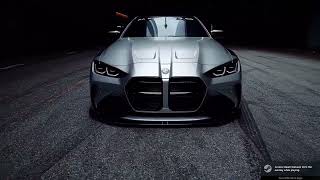
This mod replaces the default Rockstar logo startup video in GTA V with a custom video of your choice. It works safely through the mods folder using OpenIV, so your original game files remain intact.
Installation Instructions
Make sure you have OpenIV installed and the mods folder enabled.
Navigate to:
mods\update\update.rpf\x64\movies\
Backup the original file:
rockstar_logo.bik
Copy the file rockstar_logo.bik file into this folder and overwrite the original.
Launch GTA V and enjoy your new startup video!
Creating Your Own Video
If you want to replace the startup video with your own custom clip:
Download and install RAD Video Tools from the official site: https://www.radgametools.com/bnkdown.htm
Open RAD Video Tools and select your MP4 video.
Click “Bink It!” → choose Bink 1 → convert your MP4 to .bik.
Make sure your video resolution matches the original (1280×720 or 1920×1080) and keep it short (~4–6 seconds).
Replace the .bik in:
mods\update\update.rpf\x64\movies\
Launch GTA V to see your custom intro video in action.
Note: This mod is for offline use only and should not be used in GTA Online to avoid issues with Rockstar’s anti-cheat.
Installation Instructions
Make sure you have OpenIV installed and the mods folder enabled.
Navigate to:
mods\update\update.rpf\x64\movies\
Backup the original file:
rockstar_logo.bik
Copy the file rockstar_logo.bik file into this folder and overwrite the original.
Launch GTA V and enjoy your new startup video!
Creating Your Own Video
If you want to replace the startup video with your own custom clip:
Download and install RAD Video Tools from the official site: https://www.radgametools.com/bnkdown.htm
Open RAD Video Tools and select your MP4 video.
Click “Bink It!” → choose Bink 1 → convert your MP4 to .bik.
Make sure your video resolution matches the original (1280×720 or 1920×1080) and keep it short (~4–6 seconds).
Replace the .bik in:
mods\update\update.rpf\x64\movies\
Launch GTA V to see your custom intro video in action.
Note: This mod is for offline use only and should not be used in GTA Online to avoid issues with Rockstar’s anti-cheat.
Først uploadet: 5. oktober 2025
Sidst opdateret: 5. oktober 2025
Last Downloaded: 2 dage siden
2 Kommentarer
This mod replaces the default Rockstar logo startup video in GTA V with a custom video of your choice. It works safely through the mods folder using OpenIV, so your original game files remain intact.
Installation Instructions
Make sure you have OpenIV installed and the mods folder enabled.
Navigate to:
mods\update\update.rpf\x64\movies\
Backup the original file:
rockstar_logo.bik
Copy the file rockstar_logo.bik file into this folder and overwrite the original.
Launch GTA V and enjoy your new startup video!
Creating Your Own Video
If you want to replace the startup video with your own custom clip:
Download and install RAD Video Tools from the official site: https://www.radgametools.com/bnkdown.htm
Open RAD Video Tools and select your MP4 video.
Click “Bink It!” → choose Bink 1 → convert your MP4 to .bik.
Make sure your video resolution matches the original (1280×720 or 1920×1080) and keep it short (~4–6 seconds).
Replace the .bik in:
mods\update\update.rpf\x64\movies\
Launch GTA V to see your custom intro video in action.
Note: This mod is for offline use only and should not be used in GTA Online to avoid issues with Rockstar’s anti-cheat.
Installation Instructions
Make sure you have OpenIV installed and the mods folder enabled.
Navigate to:
mods\update\update.rpf\x64\movies\
Backup the original file:
rockstar_logo.bik
Copy the file rockstar_logo.bik file into this folder and overwrite the original.
Launch GTA V and enjoy your new startup video!
Creating Your Own Video
If you want to replace the startup video with your own custom clip:
Download and install RAD Video Tools from the official site: https://www.radgametools.com/bnkdown.htm
Open RAD Video Tools and select your MP4 video.
Click “Bink It!” → choose Bink 1 → convert your MP4 to .bik.
Make sure your video resolution matches the original (1280×720 or 1920×1080) and keep it short (~4–6 seconds).
Replace the .bik in:
mods\update\update.rpf\x64\movies\
Launch GTA V to see your custom intro video in action.
Note: This mod is for offline use only and should not be used in GTA Online to avoid issues with Rockstar’s anti-cheat.
Først uploadet: 5. oktober 2025
Sidst opdateret: 5. oktober 2025
Last Downloaded: 2 dage siden
 5mods on Discord

Just tested this mod — the custom startup video works perfectly! Great job!
@sidduesh thanks